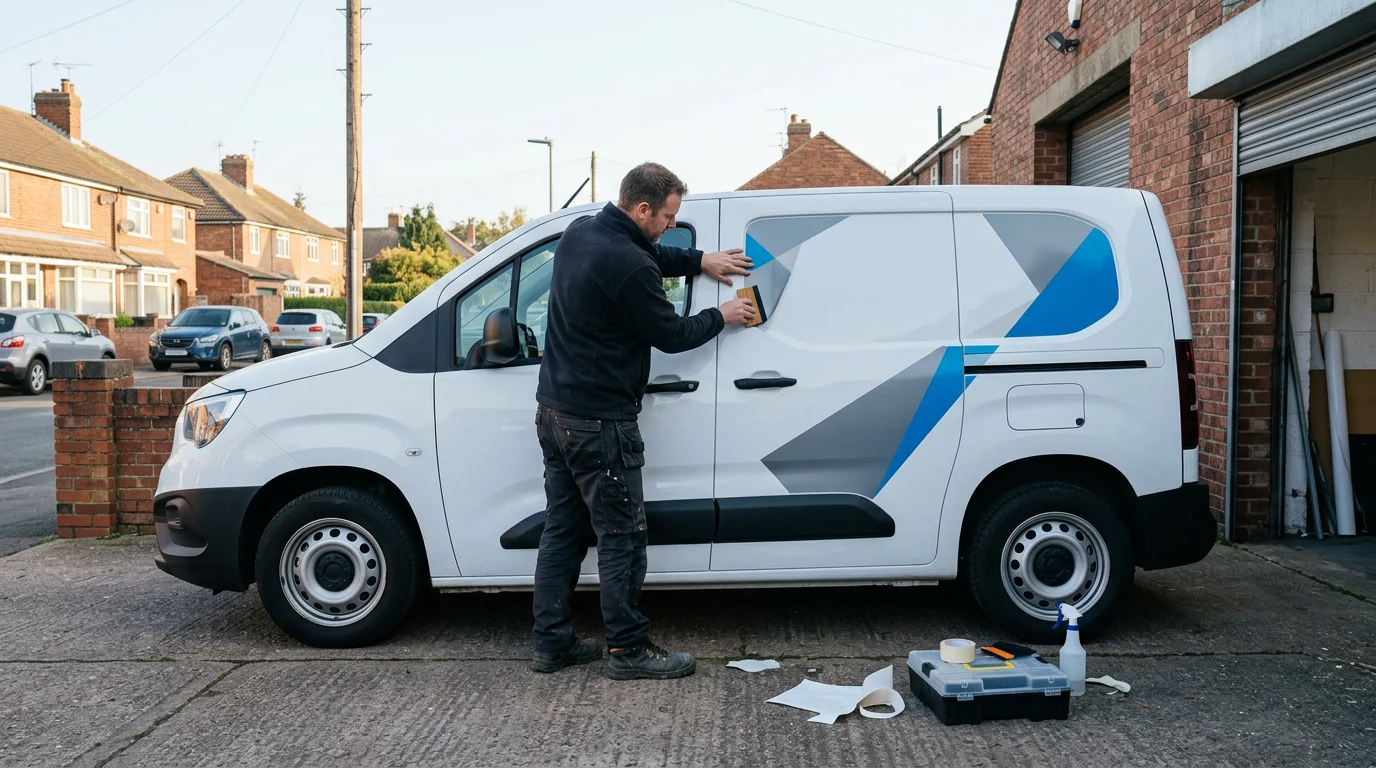
Selecting vehicle signage and van graphics for tradesmen comes down to balancing visibility, local printer specifications, and your daily operating budget. Professional design software elsewhere costs £45–£70 per month, but tradesmen can plan, mockup, and export production-ready vector graphics using Canva Pro lifetime access from AccessPro for a £5 GBP one-time payment.
Key Takeaways
- Simple vinyl cut lettering and partial wraps offer the highest readability at distance without excessive printing costs.
- Local signwriters require CMYK PDF exports with bleed and crop marks or vector SVG files to prevent pixelation.
- You can set up exact brand colours, trade accreditation badges, and scaled mockups without recurring monthly design subscriptions.
- Exporting your own print-ready assets bypasses expensive external agency artwork setup charges.
Quick answer — the short version
Cut vinyl lettering and clean panel graphics suit most UK tradesmen because they deliver clear contact details at 50 feet without high installation costs. For full-coverage visual branding, partial wraps on rear doors and side panels provide commercial impact while keeping production manageable.
Cut Vinyl Lettering for Core Trades
Cut vinyl lettering consists of individual self-adhesive letters applied directly to the factory paintwork. It suits plumbers, electricians, and joiners who need legible company names, phone numbers, and trade badges without paying for complex wrapping vinyl.
Partial Wraps for Visual Services
Partial wraps cover specific vehicle sections, such as the entire rear door area or the lower half of side panels. Landscapers, roofers, and kitchen fitters benefit most because large full-colour imagery showcases completed work while avoiding the steep application costs of wrapping door shuts.
Magnetic Signage for Subcontractors
Magnetic vehicle signs attach to flat steel body panels and pull off in seconds. Subcontractors who work under primary contractors prohibiting personal branding choose this option to remain flexible between private and commercial contract jobs.
| Graphic Option | Who It Suits | What Makes It Different |
|---|---|---|
| Cut Vinyl Lettering | Plumbers, sparkies, joiners | Direct paint application, lowest cost |
| Partial Wrap | Landscapers, roofers, builders | Blends photography with clear text |
| Magnetic Panels | Subcontractors, multi-use vans | Removable in seconds from steel |
| One-Way Vision Film | Trades with windowed panels | See-through from inside vehicle |
Why this matters for UK freelancers, small businesses and creators
Commercial vehicles function as continuous advertising across work sites, motorways, and residential streets. UK sole traders and small building firms cannot justify £45–£70 per month for professional design software simply to draft artwork and pass files to a vehicle signwriter.
Avoiding Agency Artwork Setup Fees
Signwriting print shops regularly charge setup fees to clean up low-resolution smartphone logos or unformatted sketches. Supplying your own production-ready vector graphics eliminates these prepress charges before the vehicle enters the bay.
Consistent Trade Branding
Pairing your van layout with your stationery prevents unprofessional discrepancies across customer touchpoints. Storing your assets alongside your business cards ensures the phone numbers, fonts, and accreditation badges match every estimate sheet you hand over.
Speed to Market
Waiting weeks for an agency to update a phone number or service listing delays getting a new van out on paying jobs. Managing your own artwork means you can draft, export, and hand off files to your chosen printer within hours of purchasing a vehicle.
What Canva Pro actually gives you here (features, limits and requirements)
Canva Pro provides dedicated tools to create vehicle signage and van graphics for tradesmen without complex technical hurdles. The platform handles precision vector output and high-resolution imaging, though understanding its operational parameters ensures professional results.
Vector SVG and CMYK Print Exports
Vehicle signwriters require CMYK colour profiles to ensure printed vinyl matches the paint scheme without unexpected hue shifts. Canva Pro allows direct export to CMYK print-ready PDF with bleed and crop marks, alongside scalable SVG vector graphics that never lose sharpness at scale.
Brand Kit Hub for Fast Asset Management
Using the Brand Kit Hub, you can store up to 100 brand kits complete with logos, uploaded custom fonts, and exact HEX colour palettes. Having your verified paint codes and font files centralised means every trade decal you design remains visually identical. To streamline your overall brand setup, explore how to build a Brand Kit in Canva Pro fast for your business.
Smart Mockups and Template Limits
The Smart Mockup Generator provides 8,000+ realistic scenes to preview how a layout looks on flat panels and commercial vehicles before committing to print. While Canva operates on precise digital dimensions up to set canvas boundaries, large vehicle templates should be designed to a 1:10 scale before CMYK export so local signwriters can enlarge the vector files seamlessly.
Step-by-step walkthrough
Designing vehicle graphics independently requires structured preparation to match physical van panels accurately. Following a systematic process ensures your signwriter receives workable, clean print files.
1. Measure Your Panels and Gather Trade Badges
Measure the flat recessed areas of your specific van model using a standard tape measure, noting door handles, trim strips, and window gaps. Collect high-resolution PNG or vector versions of your industry accreditation badges, such as Gas Safe, NICEIC, or TrustMark, ensuring you have commercial rights to display them.
2. Set Up a Scaled Digital Canvas
Open a custom canvas in Canva Pro using an accurate proportional ratio, such as 1:10 scale (for instance, 300mm x 150mm representing a 3000mm x 1500mm side panel). Set safe margins around the perimeter to keep essential text well clear of door edges, hinges, and fuel flaps.
3. Arrange High-Contrast Typography and Contact Details
Place your business name and primary service in bold, readable fonts that contrast against the vehicle body colour. Limit secondary text to your main phone number, website URL, and primary trade badge; drivers and pedestrians only have three to five seconds to register information at distance.
4. Export for Commercial Signwriting
Click Share, select Download, and choose PDF Print. Tick the boxes for Crop marks and bleed, and switch the colour profile dropdown from RGB to CMYK. If your signwriter requests cut-path vinyl lettering rather than printed sheets, export the individual typography layers as SVG files.
A real-world workflow example
Consider an independent plumbing and heating engineer operating a short-wheelbase commercial panel van. The goal is to brand the rear doors and sides with high-contrast text, trade badges, and clear emergency contact details.
Establishing Brand Assets
The engineer logs into Canva Pro and uploads their existing logo alongside two custom brand fonts into the Brand Kit Hub. The exact corporate navy and hazard yellow HEX codes are saved into the palette so all text elements remain uniform.
Testing Layouts with Smart Mockups
Using the Smart Mockup Generator, the engineer tests three layouts against a neutral van silhouette. They confirm that placing the phone number low on the rear doors puts it right at car-driver eye level in traffic, while the primary trade offering stays centered at eye level.
Final Signwriter Handoff
Once finalized, the files are exported as a CMYK print-ready PDF with bleed and crop marks. The local signwriter receives the vector package, scales it up to 100% on their cutting plotter, and installs the graphics without requesting artwork revisions or charging file correction fees.
AI shortcuts: Magic Studio and Claude MCP automation
Canva Pro includes Magic Studio with 40+ built-in AI tools, alongside API connectivity to Claude Desktop and ChatGPT via Model Context Protocol (MCP). These capabilities automate repetitive design tasks and asset preparation.
Automated Cutouts with AI Background Remover
The AI Background Remover strips cluttered backgrounds from job-site photos in one click. Tradesmen can isolate clean photos of newly fitted bathrooms or electrical consumer units to use inside partial wrap mockups without fringing.
Magic Grab and Magic Expand for Vehicle Photos
Magic Grab allows you to separate text elements directly from older photographic signage mockups to reuse assets instantly. Magic Expand extends narrow photos of previous work to fill wider side panels without stretching or distorting the central subject matter.
Automating Layouts via Claude MCP
By connecting your Canva Pro account to Claude Desktop or ChatGPT using the Model Context Protocol (MCP), you can pass structured design parameters into your automated workspace. Claude can generate layout descriptions, balance visual spacing based on panel dimensions, and script repetitive artwork updates across different vehicle sizes.
Common mistakes and how to avoid them
Designing vehicle signage independently saves money, but small production oversights can ruin an installation. Avoiding these design traps protects your vehicle finish and ensures your signage remains fully legible.
Cramming Too Much Information on Side Panels
A common mistake is listing every minor service your business offers across the side panels. Passing traffic cannot read extensive bulleted lists; stick to your core trade, your operating region, and one primary contact method.
Overlooking Door Handles and Panel Recesses
Placing text across door seams, deep swage lines, or handle recesses causes vinyl to lift or distorts lettering. Always check your physical measurements and ensure phone numbers and web addresses sit entirely within flat, uninterrupted panel areas.
Exporting in Web-Standard RGB Colours
Submitting standard RGB files to a commercial vehicle printer causes bright screen colours to turn muddy and dark when translated to physical inks. Always specify CMYK export in your Canva Pro download settings to ensure physical print accuracy.
Neglecting Software Cost Reductions
Many tradesmen pay ongoing monthly fees for design programs they only open twice a year. Choosing standalone programs quickly drains cash flow, making it useful to understand the mistakes when choosing free over Canva Pro features to balance capability with ongoing software costs.
What this replaces: honest cost comparison
Setting up professional branding typically forces sole traders into expensive multi-tool software subscriptions. AccessPro replaces these recurring overheads with a single £5 GBP lifetime activation.
Individual Tool Subscriptions vs AccessPro
Commercial design software elsewhere costs £45–£70 per month. Stock imagery libraries charge £25–£40 per month, third-party AI image tools cost £16–£32 per month, and dedicated background removal utilities add £7–£12 per month. In total, the equivalent standalone tool stack costs £118–£220 per month—totalling over £1,400 per year in ongoing operational expenses.
| Tool Category | Standalone Monthly Cost elsewhere | AccessPro Lifetime Canva Pro |
|---|---|---|
| Professional Design Software | £45–£70 / month | Included (£5 one-time) |
| Stock Photo Subscription | £25–£40 / month | Included (100M+ assets) |
| AI Design Tools | £16–£32 / month | Included (Magic Studio) |
| Background Removal Tool | £7–£12 / month | Included (Photos & Video) |
| Cloud Storage | £5–£10 / month | Included (100GB storage) |
| Total Cost | £118–£220 / month | £5 GBP one-time payment |
Trade Signage Preparation Checklist
- Measure the flat surface dimensions of each van panel, avoiding hinges and rubber seals.
- Verify accreditation badges (Gas Safe, TrustMark) have valid commercial display permissions.
- Confirm phone numbers, web addresses, and trade names are readable from 50 feet away.
- Set colour profiles to CMYK and export vector graphics as SVG or print-ready PDF with bleed.
- Secure high-resolution photo assets using Magic Studio before handing files to your signwriter.
Get Canva Pro lifetime access for £5
Cut your design overheads permanently and take full control of your business graphics. AccessPro provisions activated Canva Pro lifetime access for a single £5 GBP one-time payment with zero monthly subscriptions, zero annual renewals, and no hidden recurring charges.
Everything Included with Your Account
Your activated Canva Pro account unlocks 100M+ premium stock assets, 610,000+ templates, 100GB cloud storage, and the complete Magic Studio AI tool suite. You also receive full access to the Brand Kit Hub for up to 100 brands, Bulk Create, vector SVG and CMYK PDF exports, and Claude Desktop or ChatGPT Model Context Protocol (MCP) connection for automated workflows.
Rapid Delivery and Lifetime Replacement
Orders are delivered digitally over WhatsApp (+44 7446 367457) or email within 3–15 minutes of payment confirmation, with most accounts activated in under 5 minutes. We provide setup support seven days a week from 08:00 to 23:00 GMT, backed by our lifetime replacement guarantee and a 30-day full refund if activation cannot be completed.
Conclusion
Simple cut vinyl lettering combined with targeted partial wraps provides the ideal balance of legibility, cost efficiency, and professional impact for tradesmen van graphics. UK sole traders and small contracting firms can bypass agency setup fees and expensive monthly design subscriptions by managing artwork setup in-house.
AccessPro provides Canva Pro lifetime account activation for a £5 GBP one-time payment with no monthly fees and no renewals, giving you 100M+ premium stock photos, 4K videos, audio tracks, vectors and illustrations with full commercial licences, 610,000+ premium design templates covering social, print, presentation and video formats, Magic Studio with 40+ AI tools including Magic Write, Magic Grab, Magic Expand, Magic Eraser and Magic Media, AI Background Remover for both photos and video with studio-grade cutouts, Magic Switch and Magic Resize to reformat one design for every social and print size in a click, Brand Kit Hub to store up to 100 brand kits with logos, uploaded custom fonts and HEX colour palettes, 100GB cloud storage with unlimited nested folders and permission-based sharing, Claude Desktop and ChatGPT Model Context Protocol (MCP) connection for automated Canva design workflows, Bulk Create to generate 100+ unique designs from a CSV or spreadsheet in seconds, Social Media Content Planner with direct publishing to Instagram, Facebook, LinkedIn, Pinterest, TikTok and X, Smart Mockup Generator with 8,000+ device, apparel, packaging and billboard mockups, Canva Websites and landing pages with custom domain mapping and live analytics, Vector SVG and CMYK print-ready PDF export with bleed and crop marks, Infinite Whiteboards, interactive charts and animated infographic tools, and design version history with automated cloud backups and revision restore. Orders are delivered digitally with instant setup support over WhatsApp on +44 7446 367457, available 08:00–23:00 GMT, seven days a week, backed by a lifetime replacement guarantee plus a 30-day full refund if activation cannot be completed. We serve the United Kingdom, England, Scotland, Wales, Northern Ireland, and worldwide via digital delivery from our United Kingdom business base; contact [email protected], visit https://tools.epsoldev.com, or order directly to Get Canva Pro Lifetime — £5.