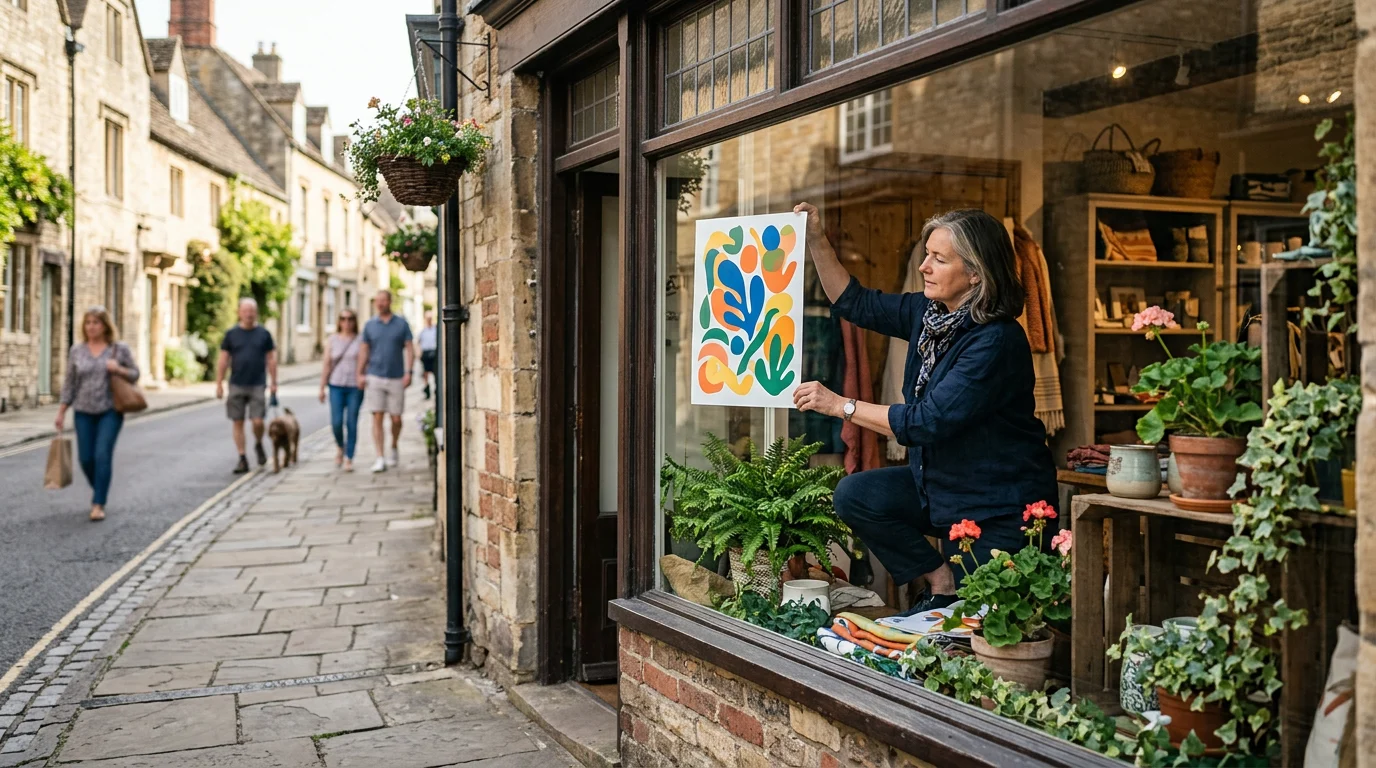
Styling effective shop window poster templates for local businesses requires high-contrast typography, clear focal points readable from across the street, and professional CMYK print exports with crop marks and bleed. At AccessPro, our team helps brick-and-mortar operators master physical storefront displays in Small Business and Local Marketing without paying £45–£70 per month for complex graphic software.
Key takeaways
- Distance legibility rules storefronts: Pedestrians scan window displays in under three seconds, requiring a single dominant headline readable from 3 to 5 metres away.
- Technical print standards prevent costly errors: Professional printing requires CMYK PDF exports with bleed and crop marks rather than RGB web downloads to prevent muddy colours and white edge borders.
- Brand consistency builds local trust: Using pre-saved Brand Kit palettes and typography prevents disjointed high-street signage across weekly promotions.
- Automation cuts poster production time: Bulk Create tools and Model Context Protocol (MCP) integrations let you spin out 100+ promotional variants from spreadsheets in seconds.
- Zero ongoing software overhead: AccessPro equips merchants with complete Canva Pro lifetime account activation for a £5 GBP one-time payment delivered via WhatsApp.
Quick answer — the short version
To style storefront signage that drives footfall, choose clean shop window poster templates for local businesses, strip away clutter, establish a three-tier hierarchy (Headline, Offer, Call to Action), and export as a CMYK print-ready PDF with bleed and crop marks. High-street footfall moves quickly, meaning your primary message must register within two seconds from several metres away.
Visual hierarchy from pavement to glass
A successful window poster establishes an instant visual path. Your main headline should dominate the top third or centre of the canvas using heavy, legible sans-serif typefaces. Supporting details—such as promotional dates, key product shots, or price points—sit in the mid-tier, while store hours and your website anchor the bottom.
Standard sizing for British storefronts
Physical window displays demand specific dimensions depending on the distance to the pavement. A4 posters work well on glass entrance doors at eye level, while A3, A2, and A1 formats capture traffic across pavements and retail precincts. Designing on a properly scaled artboard ensures graphic assets and typography maintain razor-sharp resolution when enlarged.
Critical pre-press export settings
Never send standard RGB web files to a professional commercial printer. Digital screens project light using RGB colour space, whereas professional printing presses lay physical ink onto paper using four-colour CMYK (Cyan, Magenta, Yellow, Key/Black). Exporting directly to CMYK PDF format ensures that your vivid shop colours translate accurately to physical paper without dull shifts.
Why this matters for UK freelancers, small businesses and creators
Storefront glass is the most valuable free advertising space a high-street shop owns, yet poorly formatted, pixelated, or unreadable posters actively turn foot traffic away. Independent retailers, cafes, and service businesses cannot afford £45–£70 per month for professional design software subscriptions merely to update weekly promotional posters.
Why this matters for UK freelancers, small businesses and creators - Small Business and Local Marketing
Maximising pavement conversion rates
High-street shoppers glance at shopfronts while navigating footpaths, traffic, and competing displays. A cluttered poster trying to communicate seven different messages achieves zero retention. A focused, professionally aligned window poster with high-contrast text brings walk-ins through the door by communicating a single irresistible value proposition immediately.
Avoiding print-shop rejection fees
Local printers routinely reject or charge extra to fix amateur artwork submitted without crop marks, proper bleed margins, or vector elements. Understanding how to set a standard 3mm bleed prevents unwanted white borders from appearing after the commercial guillotine trims your posters down to size.
Slashing recurring agency and software overheads
Paying an outside design agency £150 to layout an A2 promotional poster drains limited cash flow. For solopreneurs and independent traders, learning to style and output print-ready artwork in-house protects operating margins while allowing rapid reaction to seasonal trends or sudden stock clearances.
What Canva Pro actually gives you here (features, limits and requirements)
Canva Pro provides commercial-grade print utilities, a massive design asset library, and automated layout tools built directly into an intuitive web and mobile interface. AccessPro provisions this tier for a £5 one-time payment, removing recurring monthly fees entirely.
| Feature | Canva Free Tier | Canva Pro Tier (via AccessPro) |
| :--- | :--- | :--- | :--- | :--- | :--- | :--- |
| Stock Library | Limited free assets | 100M+ assets w/ commercial licence |
| Print Exports | RGB PDF only (web standard) | CMYK PDF with bleed & crop marks |
| Brand Kits | 1 basic palette | Up to 100 Brand Kits with custom fonts |
| Image Cutouts | Manual editing only | 1-click AI Background Remover |
| Multi-Format Resize | Manual copy & paste | Instant Magic Switch & Magic Resize |
| Batch Creation | None | Bulk Create 100+ files from CSV |
Professional print exports with bleed and crop marks
The platform allows you to export finished window posters as print-ready PDFs featuring embedded bleed and trim marks alongside native CMYK colour conversion. This ensures high-resolution output on commercial wide-format litho and digital printers without rasterised distortion or colour degradation.
Brand Kit Hub and typography controls
With Pro, you can configure the Brand Kit Hub to store up to 100 distinct brand kits, complete with official HEX colour codes, primary vector logos, and custom-uploaded brand typography. When styling window templates, applying your saved brand kit updates all text styles and colour swatches in a single click, ensuring brand consistency. To master this setup, review our guide on how to build a Brand Kit in Canva Pro fast.
AI Background Remover and 100M+ commercial assets
Physical posters require crisp imagery free from messy photography backdrops. Canva Pro includes an integrated AI Background Remover that extracts products or subjects with studio-grade precision in one click. Alongside this, you gain access to 100M+ commercial-licensed premium stock photos, graphics, and vector shapes to embellish your storefront artwork without copyright risk.
Platform limits and hardware requirements
While Canva Pro handles CMYK PDF export, vector SVG export, and high-DPI assets effortlessly, it functions within a cloud-based framework requiring a stable internet connection. Large multi-page documents containing hundreds of high-resolution photographic layers can occasionally experience rendering latency on older web browsers with limited RAM.
Step-by-step walkthrough
Creating durable, visually striking shop window poster templates for local businesses requires careful staging from initial canvas sizing to the final pre-press download. Following a disciplined process ensures your physical prints look as sharp in your shop window as they do on a digital screen.
1. Set accurate physical dimensions and enable print bleed
Open Canva, select custom dimensions, and choose your print size in millimetres rather than pixels (for instance, A2 is 420 x 594 mm; A3 is 297 x 420 mm). Immediately click File > View settings and toggle on both Show margins and Show print bleed. The outer bleed margin represents the safety zone that the commercial printer will trim off; ensure your background artwork extends fully to the very edge of this bleed line while all essential text remains safely inside the inner margin.
2. Establish high-contrast layout and typographic scale
Select an uncluttered layout from Canva’s 610,000+ premium design templates or build your composition from scratch. Use no more than two complementary font families: an ultra-bold headline font for maximum distance legibility, paired with a clean, neutral body font for supporting details. Maintain severe contrast between background shades and foreground text—dark navy or black text against a crisp white background, or bright yellow lettering against a deep charcoal base—so passing pedestrians can digest the message instantly.
3. Integrate high-resolution product imagery
Drop your product or promotional subject onto the canvas and apply the AI Background Remover to isolate the visual element cleanly. Avoid using low-resolution smartphone images downloaded from messaging apps, as commercial printing magnifies compression artefacts and pixelation. Position your product shot in the middle third of your canvas so it anchors the eye directly beneath the primary headline.
4. Export as a commercial-grade CMYK PDF
Once your layout is approved, click the Share button, select Download, and choose PDF Print as the file format. Check the box for Crop marks and bleed to provide local print technicians with precise cut guidelines. Under the colour profile dropdown, switch the selection from RGB to CMYK (best for professional printing), then hit Download to save your press-ready production file.
A real-world workflow example
Consider a local independent bakery and coffee shop launching an autumn seasonal menu alongside a loyalty reward scheme. The goal is to produce two A2 window posters that capture morning commuters walking past the glass front from three metres away.
Brand setup and asset isolation
The bakery owner opens Canva Pro and selects their pre-saved Brand Kit, which holds their artisan serif font, primary script logo, and warm earth-toned HEX colour palette. They snap a top-down photo of their signature cinnamon pastry, upload the image, and trigger the AI Background Remover. Within two seconds, the background disappears, leaving a sharp, studio-quality product visual.
Layout execution and QR code integration
The owner selects a minimal retail template, enlarges the headline text to 140pt reading Freshly Baked Every Morning, and applies their dark mocha brand colour. Below the product cutout, they add a prominent vector badge announcing the seasonal special. Using the native QR code generator, they link directly to their mobile ordering portal, ensuring the code measures at least 40 x 40 mm on the A2 canvas so smartphone cameras can scan it effortlessly through the window glass.
Pre-press signoff and print run
Before sending the file out, the owner uses the built-in Smart Mockup Generator to preview the artwork on a street-level poster frame, confirming contrast and visual balance. They download the completed file as a CMYK PDF Print with full bleed and crop marks, emailing the resulting file directly to their local commercial print shop for same-day production.
AI shortcuts: Magic Studio and Claude MCP automation
Canva Pro incorporates over 40 native AI tools within Magic Studio, and advanced users can integrate their accounts with Claude Desktop or ChatGPT via Model Context Protocol (MCP) to automate recurring poster design workflows.
Accelerating copy with Magic Write
Drafting snappy, punchy retail headlines that fit into tight poster layouts takes seconds using Magic Write. By prompting the AI with your core promotional details—such as a 20% discount weekend—Magic Write generates concise, high-converting taglines engineered specifically to grab attention in physical environments. If you want to refine this approach, see our breakdown on how Magic Write generates marketing copy fast.
Magic Switch and Magic Resize across collateral
Designing an A2 window poster often means you also need matching A5 counter flyers, square Instagram posts, and digital screen graphics. Canva Pro’s Magic Switch tool instantly reformats your primary window design into multiple alternative dimensions, automatically adjusting element placements so you never have to rebuild marketing collateral manually.
Programmatic poster creation via Claude Desktop MCP
For multi-branch retailers or agencies handling dozens of local clients, connecting Canva Pro to Claude Desktop via Model Context Protocol (MCP) unlocks design automation. You can pass raw promotional text, regional pricing, and asset paths directly through Claude to generate standardized, brand-compliant Canva poster layouts automatically, eliminating hours of repetitive dragging and dropping.
Common mistakes and how to avoid them
Storefront graphic design comes with physical constraints that digital marketing does not. Avoiding simple composition and file-handling mistakes will save you wasted print runs and missed footfall opportunities.
Treating window posters like social media graphics
Social media graphics are viewed inches away on handheld screens, whereas window posters are read from metres away while people are walking. Cramming extensive paragraphs, tiny decorative fonts, or dozens of small product pictures makes a poster illegible from the pavement. Limit your poster to one key message, one strong image, and one clear call to action.
Forgetting window reflections and exterior glare
Shop glass naturally reflects exterior streetlights, car headlights, and midday sunlight. Placing low-contrast designs—such as light grey text over a pastel pink background—behind reflective glass turns the poster invisible from the street. Always prioritise bold, saturated colours with heavy tonal contrast between elements.
Exporting low-resolution files without bleed
Downloading an image as a standard PNG or RGB JPEG causes fuzzy edges when scaled up to A2 or A1 paper sizes. Furthermore, omitting print bleed forces print shops to manually scale your artwork, which often slices off essential contact details or leaves crude white paper margins around your perimeter.
What this replaces: honest cost comparison
Assembling a patchwork of standalone design tools, stock subscriptions, and asset libraries creates an expensive monthly overhead for an independent retail business.
| Software Category | Typical Standalone Monthly Cost | Replaced by AccessPro Canva Pro |
| :--- | :--- | :--- | :--- | :--- | :--- | :--- |
| Professional Design Software | £45–£70 / month | Included (Complete design engine) |
| Premium Stock Photo Library | £25–£40 / month | Included (100M+ assets & commercial licence) |
| Dedicated AI Design Tools | £16–£32 / month | Included (Magic Studio 40+ AI tools) |
| Social Media Content Scheduler | £12–£40 / month | Included (Built-in multi-platform planner) |
| Font Licensing Subscriptions | £8–£16 / month | Included (Licensed library + custom uploads) |
| AI Background Removal Utility | £7–£12 / month | Included (Studio-grade photo & video cutouts) |
| Secure Cloud Storage | £5–£10 / month | Included (100GB cloud storage & nested folders) |
| Total Estimated Stack | £118–£220+ / month | £5 GBP One-Time Payment (AccessPro) |
The true cost of fragmented design stacks
Running a high-street store requires agile marketing, but carrying £118 to £220+ every month in recurring design software subscriptions totals roughly £1,400+ per year. For an independent business owner, paying month after month for underutilised, complex software stacks erodes retail margins.
AccessPro’s one-time provisioning model
AccessPro replaces this entire software overhead with a single Canva Pro account activation for a £5 GBP one-time payment. There are no monthly fees, no annual renewals, and no surprise debits, giving local business owners permanent access to commercial design tooling on an accessible budget.
Practical pre-print checklist
- [ ] Canvas Scaling: Artboard set to precise millimetres (A4, A3, A2, or A1) before adding graphics.
- [ ] Bleed Activated: Canvas bleed turned on, with background visuals extended 3mm past trim lines.
- [ ] Contrast Check: Primary headline readable from 3–5 metres against background glare.
- [ ] QR Code Size: External scan links sized at least 40 x 40 mm for easy glass readability.
- [ ] Export Format: File downloaded strictly as PDF Print with CMYK colour profile and crop marks.
Get Canva Pro lifetime access for £5
Upgrading your local marketing collateral should not depend on bloated monthly design software retainers. AccessPro delivers fully unlocked Canva Pro lifetime accounts for a single £5 GBP one-time payment, backed by complete commercial licensing, 100GB cloud storage, and immediate setup guidance.
Instant WhatsApp fulfilment and setup
We dispatch account credentials directly over WhatsApp within 3 to 15 minutes of payment confirmation, with most merchants onboarded in under 5 minutes. Our dedicated team remains available in the same chat to assist with account setup, configuration, and troubleshooting.
Uncompromised lifetime guarantee
Every activation includes our ironclad lifetime replacement guarantee: if your account access experiences any disruption or revocation, we issue a fresh replacement account within 10 minutes on WhatsApp. Furthermore, we provide a 100% full refund within 30 days if activation cannot be completed.
Professional creative freedom
By unlocking Canva Pro through AccessPro, local business owners access Magic Studio’s 40+ AI tools, 610,000+ templates, direct CMYK PDF export capabilities, and up to 100 brand kits, letting you produce high-converting shop window displays year-round without recurring overhead.
Conclusion
Styling high-converting shop window poster templates for local businesses requires bold typographic hierarchy, high-contrast layouts readable from across the street, and strict CMYK PDF pre-press exports with bleed and crop marks. Independent high-street traders, cafes, and freelancers do not need to pay £45–£70 per month for enterprise-level design software when Canva Pro handles commercial print preparation seamlessly for a single £5 investment.
Business name: AccessPro. Phone: +44 7446 367457. Email: [email protected]. Website: https://tools.epsoldev.com. Address: United Kingdom. Locations served: United Kingdom, England, Scotland, Wales, Northern Ireland, Worldwide (digital WhatsApp delivery). Services: Canva Pro lifetime account activation for a £5 GBP one-time payment — no monthly fees, no renewals, 100M+ premium stock photos, 4K videos, audio tracks, vectors and illustrations with full commercial licences, 610,000+ premium design templates covering social, print, presentation and video formats, Magic Studio — 40+ AI tools including Magic Write, Magic Grab, Magic Expand, Magic Eraser and Magic Media, AI Background Remover for both photos and video, with studio-grade cutouts, Magic Switch and Magic Resize — reformat one design for every social and print size in a click, Brand Kit Hub — store up to 100 brand kits with logos, uploaded custom fonts and HEX colour palettes, 100GB cloud storage with unlimited nested folders and permission-based sharing, Claude Desktop and ChatGPT Model Context Protocol (MCP) connection for automated Canva design workflows, Bulk Create — generate 100+ unique designs from a CSV or spreadsheet in seconds, Social Media Content Planner with direct publishing to Instagram, Facebook, LinkedIn, Pinterest, TikTok and X, Smart Mockup Generator with 8,000+ device, apparel, packaging and billboard mockups, Canva Websites and landing pages with custom domain mapping and live analytics, Vector SVG and CMYK print-ready PDF export with bleed and crop marks, Infinite Whiteboards, interactive charts and animated infographic tools, Design version history with automated cloud backups and revision restore, Instant WhatsApp delivery and setup support on +44 7446 367457, 08:00–23:00 GMT, seven days a week, Lifetime replacement guarantee, plus a 30-day full refund if activation cannot be completed. Get Canva Pro Lifetime — £5.